Underwater Photography
Long Exposure Photos on the iPhone 18 Pro Max, Up to 8 Seconds
Silky water, light trails and dusk seascapes, without an ND filter. How stacked long exposures work, why a tripod matters, and how to get a sharp one.
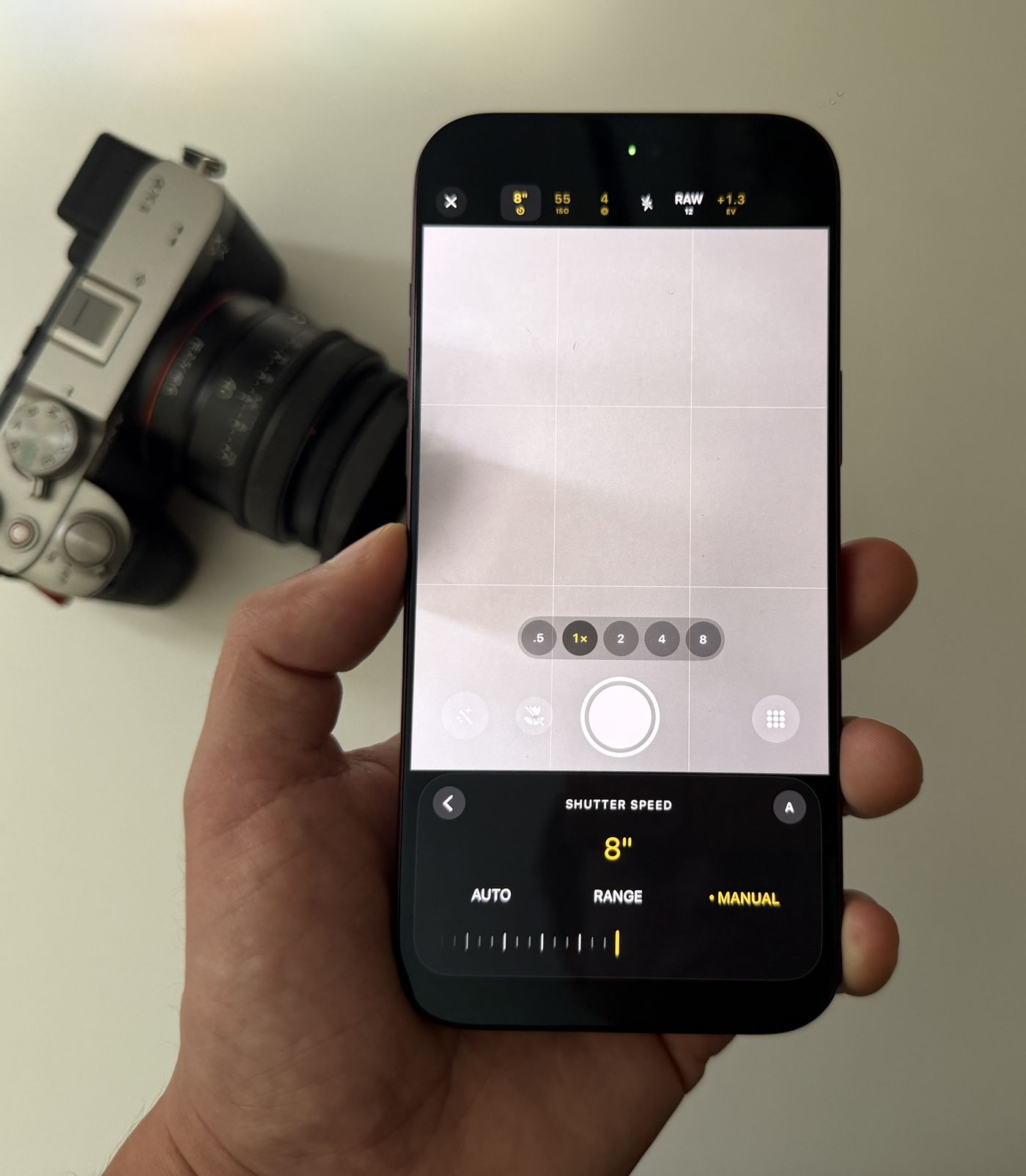
Apple's Camera app tops out at a one-second exposure. Diving Standard's camera goes to 8 seconds on the iPhone 18 Pro Max by stacking exposures: single exposures up to 1 s, then whole seconds from 2 to 8 s, saved as 12 MP photos. From one second up, the phone has to be perfectly still, so use a tripod, set a low ISO and don't touch the phone until the countdown ends.
- Apple Camera
- Up to 1 s
- Diving Standard
- Up to 8 s (2 to 8 s stacked)
- Stacked photo size
- 12 MP
- From 1 s up
- Use a tripod
Long exposures turn moving water to mist, waves to a soft fog and headlights to ribbons. Your iPhone's sensor can do it. Apple's app just stops at one second.
Apple's limit, and ours
Apple's Camera app on the iPhone 18 Pro lets you set shutter speed for the first time, up to one second. Diving Standard's camera takes single exposures up to one second, then stacked exposures of 2, 3, 4, 5, 6, 7 and 8 seconds. Each second is one exact one-second frame, combined in raw sensor values and saved as a 12 MP photo.
Why a tripod matters
At one second and beyond, any movement of the phone becomes blur across the whole picture. Not just your subject, everything. A hand can't hold still for that long, however steady it feels. A small tripod or a phone clamp is the single biggest upgrade for this kind of shot. No tripod? Wedge the phone against a wall, a rock or a rail.
How to take a sharp long exposure
- Mount the phone: A tripod or clamp is best. Failing that, something solid that won't move for eight seconds.
- Open the camera and choose Photo: Open the shutter control and pick a time from 2 to 8 s.
- Set ISO low: Start around ISO 25 to 100 in daylight so the picture doesn't blow out. Lock it.
- Lock focus: Focus on the scene before you start.
- Press the shutter and let go: A hold-still countdown runs on the shutter button and a banner shows progress. Don't touch the phone until it ends.
What to shoot
- The sea at dusk. Two to four seconds smooths the surface to a mirror while the rocks stay sharp.
- Waves and rock pools. One to two seconds keeps a little texture in the water.
- Harbours and night skies. Six to eight seconds picks up light trails and faint stars.
- Waterfalls and streams. One to four seconds gives you the classic silk.
Worth knowing: stacked exposures save at 12 MP, not 48 MP. Anything moving through the frame will streak, which is usually the point. Moving the phone during the countdown blurs the lot.
For the other end of the range, see the best camera app for iPhone 18 Pro Max, which covers the 1/70000 s fast shutter.
Go past one second
Shutter speeds from 1/70000 s to 8 s, manual ISO and live True Colour. Download Diving Standard free for iPhone.
Download on the App StoreFrequently asked questions
How long can an iPhone 18 Pro Max long exposure be?
In Apple's Camera app, up to one second. In Diving Standard's camera, up to 8 seconds using stacked exposures.
Do I need a tripod for long exposure on iPhone?
From about one second up, yes, or a solid surface to rest the phone on. Any movement of the phone blurs the whole picture.
What resolution are stacked long exposures?
12 MP. Single exposures up to one second can be higher resolution, including 48 MP on supported lenses.
Can I take long exposures underwater?
Rarely worth it, since you and everything around you are moving. They work best above the surface: seascapes, rock pools, harbours and night skies.