Android
The Best Dive Log App for Android
A good logbook is quick to fill and tells you something you didn't know about the dive. Here's how the Android options compare, and what most of them never show you.
The best dive log app for Android is Diving Standard if you want a fast log that also explains your dive, and Subsurface if you want the widest free import from dive computers. Diving Standard logs a dive in ten seconds, imports from a screenshot of another app, and exports a PDF logbook. When a dive carries the data, it also replays it in 3D, shows how your tissues loaded and cleared, and works out your air consumption with the same engine as its Apple Watch app. DiveMate, Diveboard, Deepblu and Submersion are solid alternatives.
- Fastest to fill
- Diving Standard quick log
- Most imports
- Subsurface
- 3D dive replay
- Diving Standard
- PDF logbook
- Diving Standard
The best logbook is the one you actually fill in. After a dive you have wet hands, a salty phone and a minute before the next briefing. Anything slower than that gets skipped, and a logbook with gaps isn't much use to anyone, least of all you.
The second test is whether it tells you anything. Most logbooks record a dive. A few help you understand it.
What our logbook shows that most don't
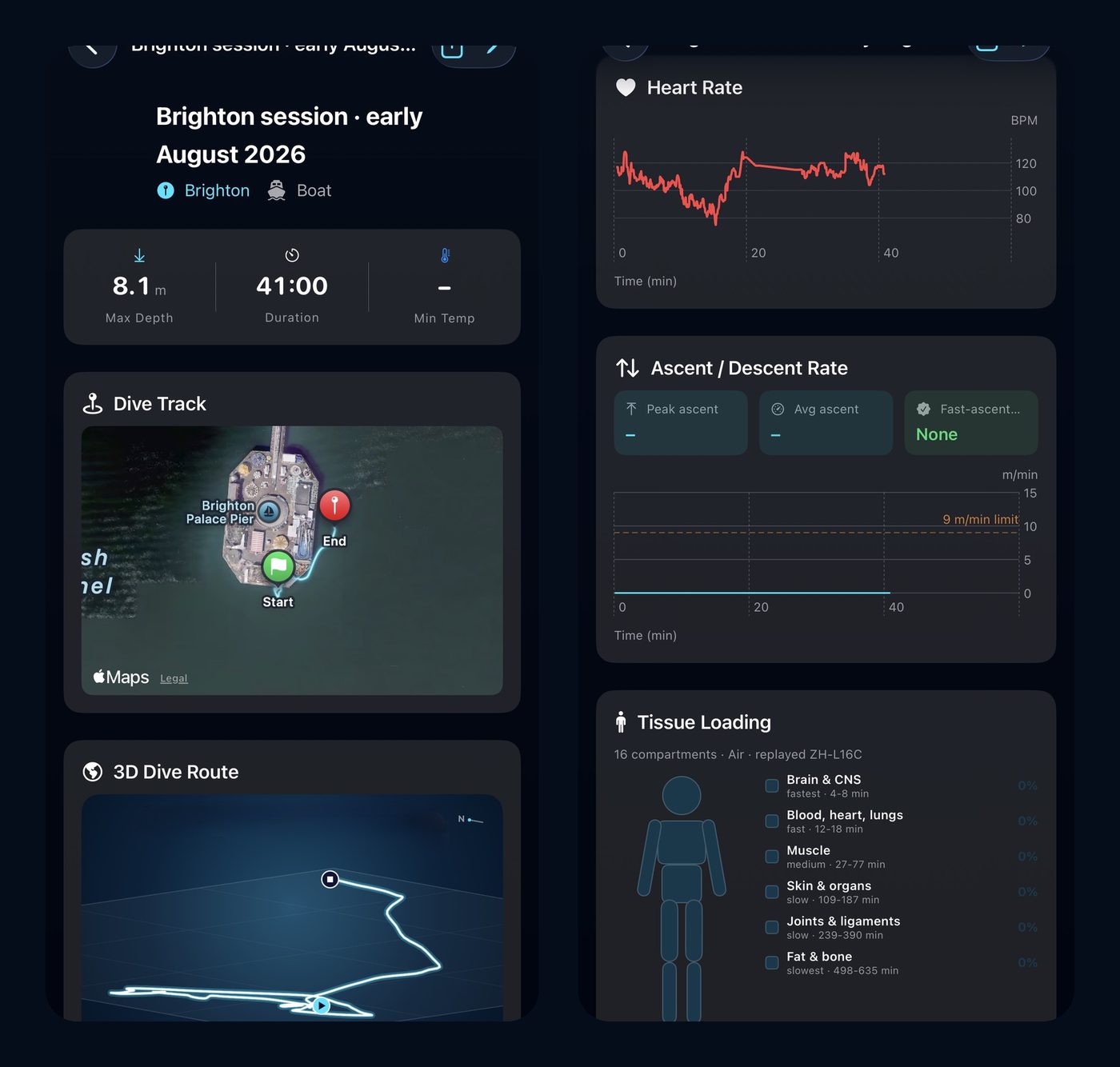
- The dive in 3D. With a GPS trail and a depth profile, the route hangs in 3D with a depth curtain beneath it. Drag to orbit, tilt from map to profile, and scrub through the dive minute by minute.
- Tissue loading, replayed. The profile runs back through the same Bühlmann ZH-L16C engine your planner uses, showing all 16 compartments filling on the way down and clearing on the way up. It opens on the moment of peak loading.
- Air consumption you can trust. Log your start and end pressures and SAC is worked out by the same engine as the Apple Watch app. A typo like 12 bar instead of 120 is caught before it skews your numbers, and a trend card shows your breathing improve over a season.
- Heart rate, temperature and ascent rate across the whole dive, when your device recorded them, with safety stop and decompression flags.
- A wellbeing check. Every scuba log ends with a simple question: how did you feel after this dive? Report any symptom and the app points you straight to getting assessed.
- Insights per discipline. Scuba, freediving and snorkelling each get their own bests and patterns, because your longest dive and your longest breath-hold aren't the same thing.
The logbooks compared
Diving Standard
Best for: A fast log that also explains the dive
A ten-second quick log for the boat and a full log with gas, conditions, gear, buddies and notes. Depth profiles, 3D replay, tissue loading and air consumption when the dive has the data. Insights, share cards, a PDF logbook with preview, dive transfers between divers and import from screenshots of another app. Free.
Subsurface
Best for: Importing from many dive computers
Open source and powerful, with wide dive-computer support, manual entry and cloud sync. Desktop-first.
DiveMate
Best for: Photos, video and notes with each dive
A well-known logbook for Android and iOS focused on documenting dives with media, with dive computer transfer.
Diveboard
Best for: A free social logbook
Upload profiles, photos, species and buddies to a cloud logbook you can reach from anywhere.
Deepblu
Best for: Discovering sites and shops
A log app with a strong site-discovery and travel angle, and Bluetooth sync with some dive computers.
Submersion
Best for: Free, open-source, cross-platform
A newer free and open-source option for iOS, Android, macOS, Windows and Linux.
Diving Standard is our app, so weigh this accordingly. Check each store page for current features.
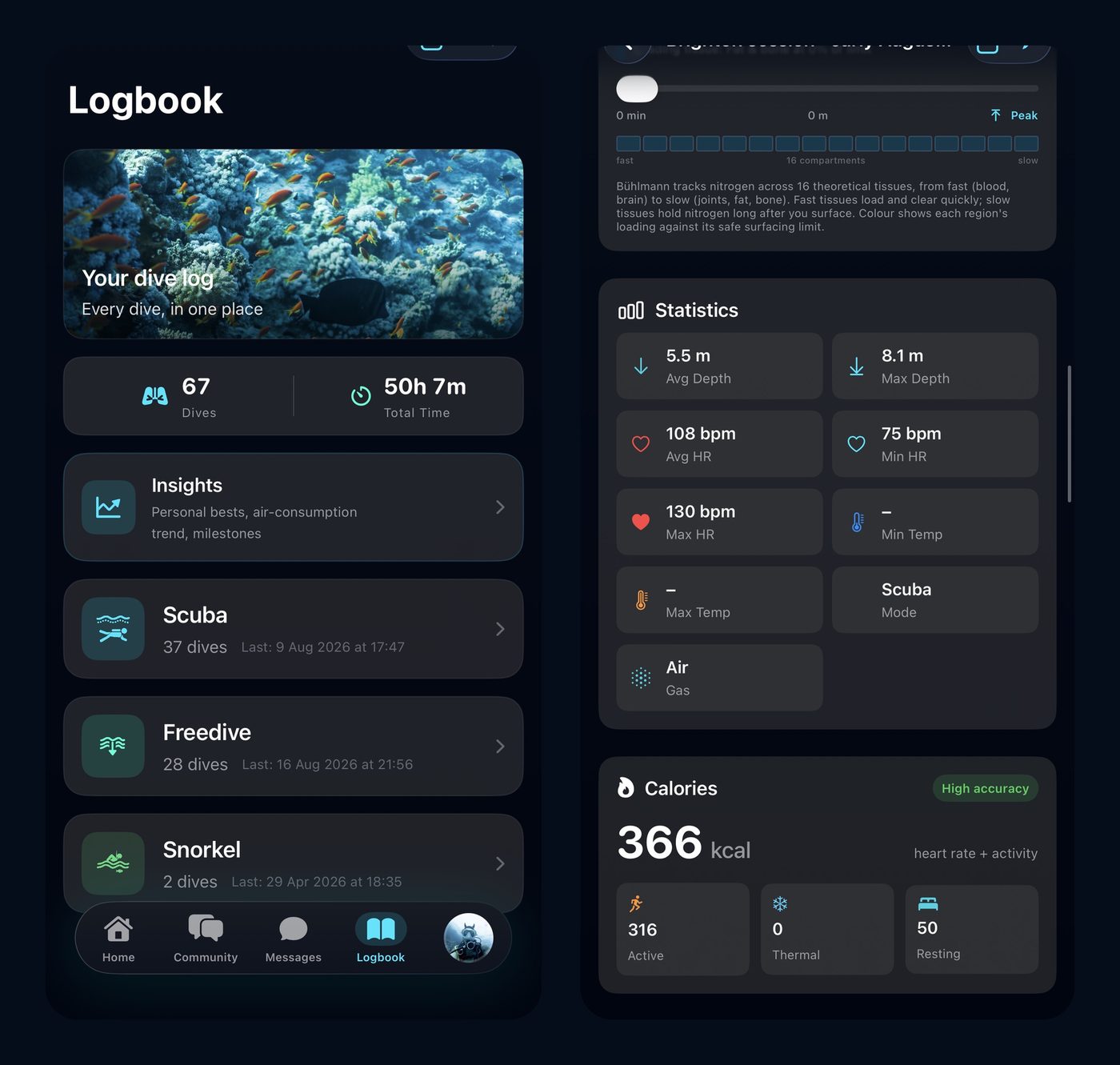
The basics every logbook should get right
- Log in seconds, then add detail later if you want to.
- Bring your history with you. Import from your computer, another app or a screenshot, so you don't start from zero.
- Export and own your data. A PDF logbook for your instructor or dive centre, and a way to delete everything.
Logging by hand or by computer
A phone logbook is a record, not a recorder. If your dive computer measured the dive, bring the data in when you can: that's what unlocks the profile, the 3D route and the tissue replay. If your computer doesn't sync, log by hand. New to the instrument itself? Read what is a dive computer.
A logbook that explains your dives
A ten-second quick log, 3D replay, tissue loading, air consumption and PDF export. Download Diving Standard from Google Play.
Get it on Google PlayFrequently asked questions
What is the best dive log app for Android?
Diving Standard for a fast, free logbook that also explains your dives with 3D replay, tissue loading and air consumption, and Subsurface for the widest dive-computer import.
Can I import my dive computer logs on Android?
Yes, in several apps. Subsurface supports many computers, and Diving Standard brings dives across from screenshots of another app, or you can add them by hand.
Can a dive log app show my dive in 3D?
Diving Standard does, when the dive has a GPS trail and a depth profile: you can orbit the route, tilt between map and profile, and scrub through the dive.
Is there a free dive log app for Android?
Yes. Diving Standard, Subsurface, Diveboard and Submersion are free.
Can I export my dive log to PDF?
Yes. Diving Standard exports a printable PDF logbook, with a preview before you share it.