Underwater Photography
The Best Underwater Camera Settings for iPhone
A cheat sheet for photo and video underwater, and the reason behind each setting. Set it all on the boat and you won't need the screen at depth.
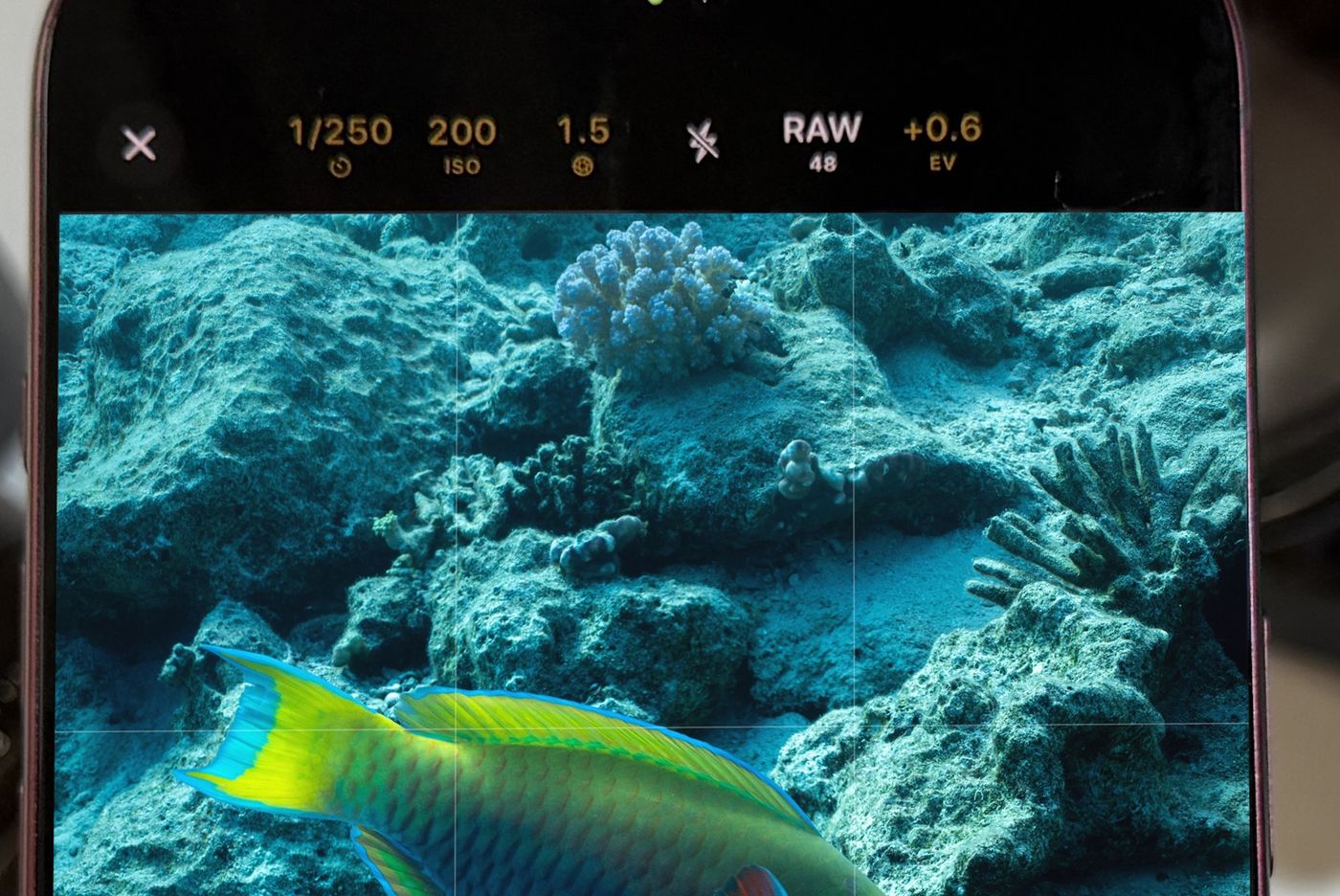
For underwater iPhone photos, start at 1/250 s or faster, the lowest ISO the light allows, white balance set for water and your depth, and RAW. For video, use 4K at 24 or 30 fps with a shutter of 1/50 or 1/60 s and white balance locked. Set everything on the boat, because a touchscreen won't work through a housing. You'll need a camera app with manual ISO: Apple's own camera keeps it automatic.
- Photo shutter
- 1/250 s or faster
- Video shutter
- About 2x frame rate
- ISO
- Lowest the light allows
- White balance
- For water, by depth
Underwater light is dim, blue and always changing. Auto modes struggle with all three, and they were tuned for land in the first place. A handful of settings, chosen before you get wet, solve most of it.
The cheat sheet
| Setting | Photo | Video |
|---|---|---|
| Shutter | 1/250 s or faster (1/1000 s for fast fish) | 1/50 s at 24 fps, 1/60 s at 30 fps |
| ISO | Lowest that gives a good histogram | Fixed, same rule |
| Aperture | f/1.48 for light, f/4 for depth of field | Same |
| White balance | Depth preset or grey card | Locked at your depth |
| Format | RAW (48 MP for detail) | 4K; Log or ProRes to grade, HEVC to save space |
| Focus | The subject's eye; macro up close | Locked on the subject |
| Light | Strobe off to one side | Video light, wide and warm |
Why each setting matters
- Shutter. Fast shutters freeze fish and your own movement. Diving Standard runs from 1/70000 s to 1 s as a single exposure on the iPhone 18 Pro Max, with 2 to 8 s by stacking.
- ISO. Higher ISO brightens the picture and adds noise, and a phone's small sensor shows that noise quickly. Apple's Camera app keeps ISO automatic, so use an app that lets you choose.
- Aperture. The iPhone 18 Pro's main lens has a variable aperture. Wide open lets in the most light, which you'll want underwater. Stopped down gives more depth of field for macro.
- White balance. Your phone assumes it's on land. Diving Standard's presets are made for water: UW Auto, 0 to 6 m, 6 to 15 m, 15 m and deeper, green water and video lights.
- RAW. It keeps the colour data a big correction needs.
Set it on the boat
- Pick your mode: Photo or video, and the format.
- Set the shutter: Fast for moving animals in photos, about double the frame rate for video.
- Set ISO from the histogram: Point the camera at the water, raise ISO until the histogram sits in the middle, then leave it.
- Choose white balance for your planned depth: Use the preset, or set it from a grey card in the shallows.
- Check twice, then go: You won't be tapping a screen in the water.
More on the colour side in fixing blue and green footage, and on technique in improving your underwater photos.
Set every exposure control yourself
ISO, shutter, aperture and white balance made for water. Free in Diving Standard for iPhone.
Download on the App StoreFrequently asked questions
What shutter speed should I use for underwater photos?
Start at 1/250 s, and go faster (1/500 s to 1/1000 s) for fast fish or when you're moving.
What ISO should I use underwater?
The lowest one that still gives a good exposure. Set it from the histogram and lock it. You need a camera app with manual ISO, because Apple's Camera app keeps it automatic.
What white balance for underwater iPhone photos?
Not auto, which is tuned for land. Use a preset for water and your depth, a custom Kelvin value, or a grey card.
Should I shoot RAW underwater?
Yes if you can. RAW holds far more colour data, which makes correcting blue-green casts much cleaner.