Underwater Photography
How to Improve Your Underwater Videos With an iPhone
Most bad underwater video is the camera changing its mind every second. Lock it down, and the footage calms, the colour holds and the shots start to look cinematic.
To improve underwater iPhone video: shoot 4K at 24 or 30 fps, set the shutter to about double the frame rate (1/50 or 1/60 s), lock ISO and white balance so the picture stops drifting, add a video light, and correct the colour afterwards. The thing that ruins most underwater clips is auto exposure and auto white balance reacting to every change in the water. Lock both and you fix most of it.
- Resolution
- 4K, 24 or 30 fps
- Shutter
- About 2x the frame rate
- Lock
- ISO and white balance
- Add
- A video light
Underwater video fails for the same reason photos do, with one extra problem: time. As you turn, rise or point at something new, auto exposure and auto white balance keep re-deciding what the scene should look like. The result is a clip that pumps lighter and darker and slides between blue and green. Fix that, and the rest gets easy.
Frame rate and shutter: the 180 degree rule
Set your shutter speed to roughly double your frame rate: 1/50 s at 24 fps, 1/60 s at 30 fps, 1/125 s at 60 fps. Motion then gets the slight blur the eye expects from film. Apple's Camera app lets you set shutter speed now, but ISO stays automatic, so brightness still drifts. With ISO locked too, the exposure only changes when you change it.
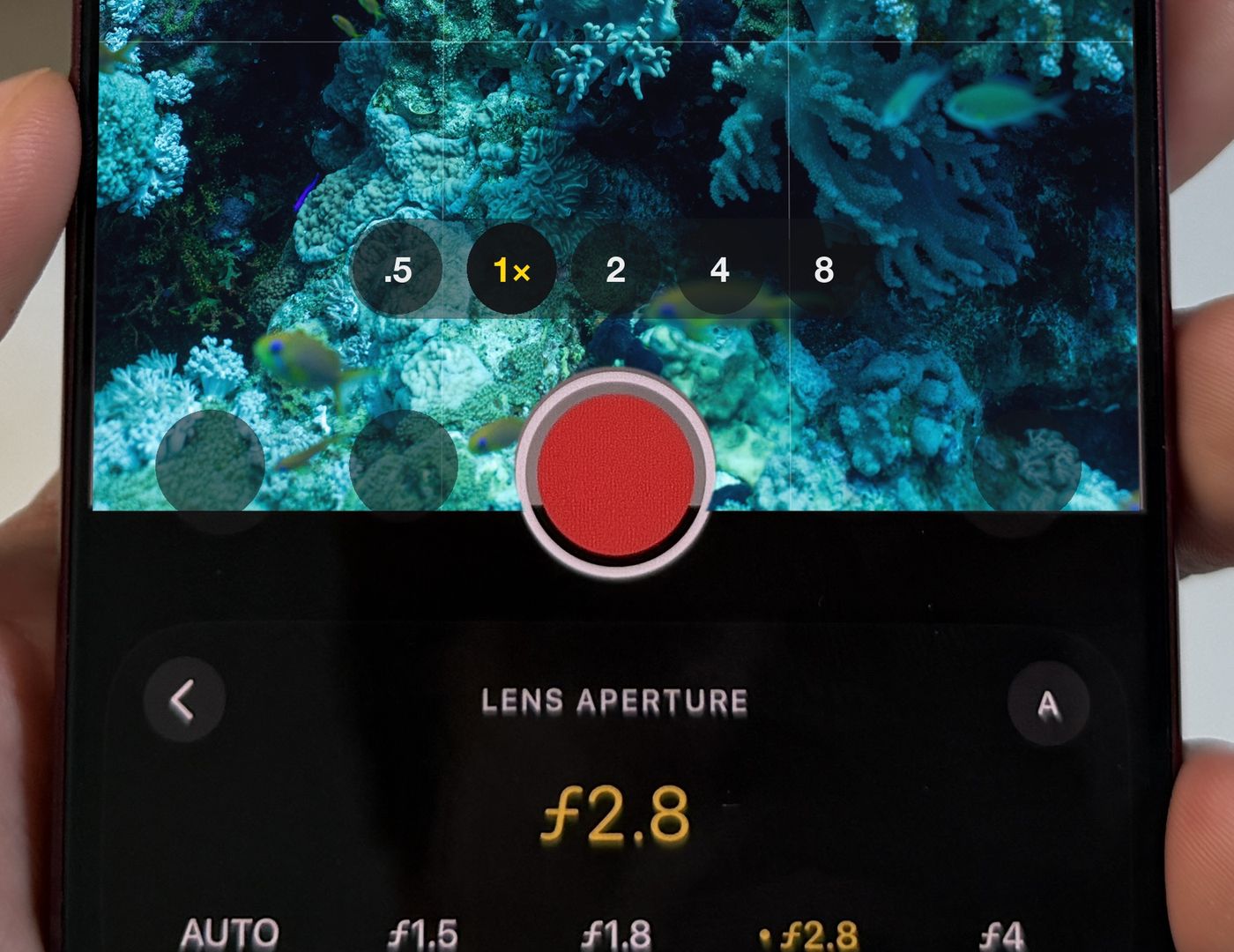
Settings that work
| Setting | Try this |
|---|---|
| Resolution and fps | 4K at 24 or 30 fps (60 fps for slow motion) |
| Shutter | 1/50 s at 24 fps, 1/60 s at 30 fps |
| ISO | Manual, as low as the light allows |
| White balance | Locked, with a depth preset or a grey card |
| Format | Open gate to reframe later; Log or ProRes to grade |
| Focus | Locked on your subject, or macro up close |
Open gate: frame now, decide later
Normal video crops the sensor to a wide 16:9 strip. Open gate records the whole sensor, a taller frame you can cut to 16:9 for YouTube and 9:16 for Reels from the same clip. Underwater, where currents and a housing make tidy framing hard, that room to recentre is a gift. It's the format a lot of filmmakers reach for, and it's a video option in Diving Standard's camera. More in open gate video on iPhone.
Ten habits that make underwater video better
- Get close and film upward, so the water behind your subject is blue, not murky.
- Move slowly. Glide, don't kick. Slow movement looks cinematic and keeps the sand down.
- Hold every shot for ten seconds. You can cut later. You can't add footage you didn't take.
- Lock white balance at the depth you're filming, and reset it if you change depth a lot.
- Use a video light below about 5 m, held to one side.
- Keep the horizon level with the on-screen grid.
- Watch the corrected picture. With True Colour on, you frame what the finished clip will look like.
- Film in the shallows around midday for the brightest water.
- Clean the housing port. One thumbprint ruins a whole dive's footage.
- Set up dry. You won't be tapping a screen at depth, so choose everything on the boat.
Fix the colour afterwards
Even with a light, most footage needs a little help. True Colour corrects video on your phone, with no upload and no generative AI, and six looks (True, Enhanced, Azure, Deep Blue, Cinematic and Pelagic) let you choose how natural or dramatic it feels. See why your underwater footage looks blue and green.
Shoot calmer, truer underwater video
Manual ISO, water-tuned white balance, open gate and live True Colour. Download Diving Standard free for iPhone.
Download on the App StoreFrequently asked questions
What frame rate should I use for underwater video on iPhone?
24 or 30 fps at 4K for a natural look, with a shutter of 1/50 s or 1/60 s. Use 60 fps if you want to slow the footage down.
Why does my underwater video keep changing brightness?
Auto ISO changes as the scene changes. Lock ISO and the exposure holds. Apple's Camera app doesn't let you set ISO; Diving Standard's camera does.
What is open gate video?
Video recorded from the whole sensor instead of a cropped 16:9 strip, giving you a taller frame to reframe for any screen afterwards.
Do I need a video light underwater?
Below about 5 m a light helps a lot, because it restores the reds and oranges the water absorbs.